Mastering the Couple Silhouette Bundle for Romantic Design Projects
Visual storytelling relies heavily on atmosphere, and few elements convey intimacy as effectively as a well-crafted silhouette. Whether you are designing wedding invitations, creating social media content for relationship coaches, or developing urban-themed decor, the Couple Silhouette Bundle offers a versatile foundation for your creative work. These graphics capture the essence of togetherness, often featuring romantic scenes set against cityscapes or serene park environments. However, simply downloading a zip file is not enough to guarantee professional results. Many creators overlook critical technical and aesthetic details that can undermine the quality of their final output.
Understanding how to properly integrate these design elements into your workflow requires more than just basic graphic design skills. It demands an awareness of file formats, scalability, and contextual appropriateness. By avoiding common pitfalls, you can ensure that your use of couple silhouettes enhances your project rather than distracting from it.
The Trap of Ignoring File Format Compatibility
One of the most frequent mistakes beginners make is assuming all image files are created equal. When you purchase a comprehensive bundle, you typically receive a variety of formats, including JPG, PNG, AI, EPS, and SVG. A common error is relying solely on raster images like JPG or PNG for large-scale prints or scalable web graphics.
Raster files are composed of pixels. If you enlarge a JPG of a couple sitting on a park bench beyond its original dimensions, the image will become pixelated and blurry. This destroys the clean, crisp lines essential for a professional silhouette look. In contrast, vector formats such as AI, EPS, and SVG are mathematically based. They allow you to scale the image from the size of a business card to a billboard without any loss in quality.
Practical Advice: Always check the file types included in your download. For print projects, prioritize AI or EPS files. For web design and digital marketing materials, SVG is often the superior choice due to its small file size and scalability. Keep the PNG files for quick previews or projects where transparency is needed but vector editing is not required. Ensure you have software capable of opening these vector files, such as Adobe Illustrator, CorelDRAW, or free alternatives like Inkscape.
Misunderstanding Context and Atmosphere
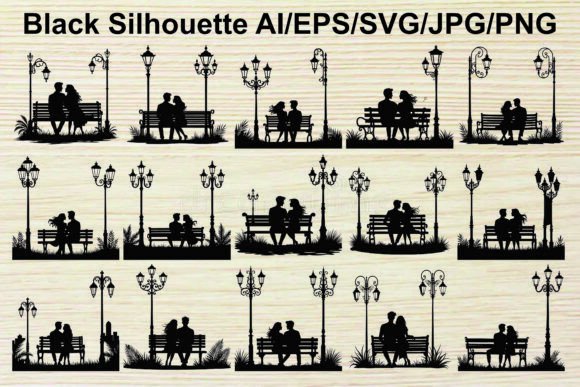
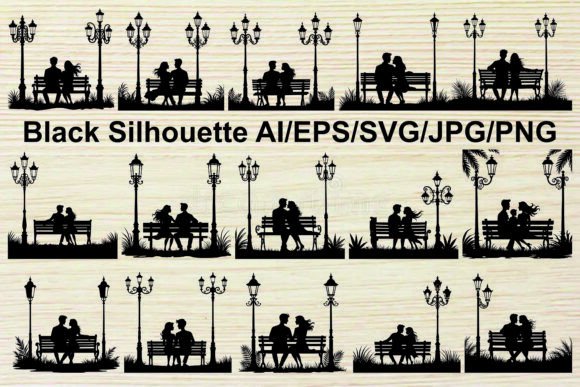
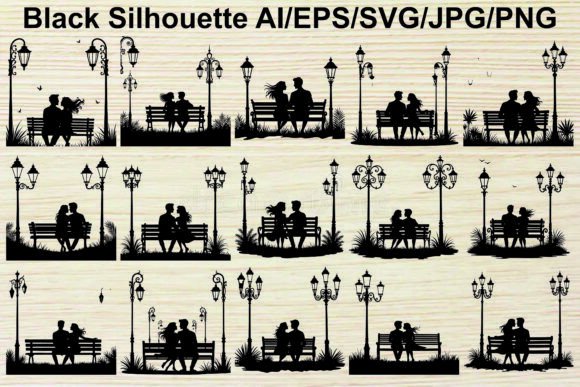
Silhouettes are powerful because they strip away detail, leaving only shape and form. However, this abstraction means context is everything. A significant oversight occurs when designers place a silhouette in an environment that contradicts its inherent mood. For instance, a bundle might include a vintage street lamp and a couple on a bench, evoking a sense of old-world romance and evening tranquility. Placing this specific graphic in a bright, modern, minimalist tech brochure creates a visual dissonance that confuses the viewer.
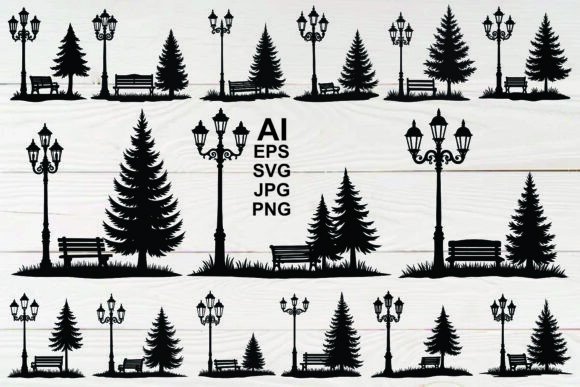
The keywords associated with these assets—such as romance, night, city, and vintage—are not just tags; they are design directives. The presence of ornate lamps or palm trees suggests a specific setting, perhaps a tropical getaway or a historic urban park. Ignoring these cues can make your design feel generic or misplaced.
Better Approach: Analyze the components of the silhouette before using it. Does the couple’s posture suggest affection, casual conversation, or deep contemplation? Match this emotional tone with your background and typography. If the silhouette features a decorative lamp and trees, consider using warm, muted colors in your background to enhance the romantic atmosphere. Avoid clashing neon palettes unless you are intentionally aiming for a high-contrast, modern pop-art effect.
Overlooking Extraction and Organization
Digital asset management is often treated as an afterthought, yet it significantly impacts efficiency. Many users struggle with the initial step: extracting the files. The bundle usually comes compressed in a single ZIP file. Some users attempt to open these files directly from the compressed folder without extracting them first. This can lead to corrupted data, slow performance, or errors when trying to save changes to vector files.
Furthermore, failing to organize these assets leads to wasted time. A bundle containing five different formats for multiple designs can quickly clutter your desktop or project folder. Losing track of which file is the editable vector and which is the flat image can halt your creative process.
Solution: Use reliable extraction tools like WinZip, WinRAR, or the built-in extraction features of your operating system. Double-click the ZIP file and extract all contents to a dedicated folder. Create subfolders for each format (e.g., "Vectors," "Raster," "Previews"). This simple organizational habit ensures that when you need the EPS file for a last-minute client change, you can locate it instantly.
Neglecting Customization Potential
A static mindset limits the value of a silhouette bundle. Many designers use the graphics exactly as they are downloaded, missing out on the opportunity to tailor the design to their specific brand or message. Since vector files are editable, you can modify colors, adjust positions, or even combine elements from different silhouettes.
For example, you might love the pose of a couple from one file but prefer the street lamp design from another. Because these are vector graphics, you can easily merge these elements to create a unique composition. You might also want to change the color from standard black to a deep navy or charcoal to soften the contrast and better suit a pastel-themed wedding invitation.
Pro Tip: Experiment with layering. Place the silhouette over textured backgrounds, such as watercolor washes or subtle gradients, to add depth. Remember that the term design element implies flexibility. Treat the silhouette as a building block, not a finished product. This approach allows you to maintain uniqueness in your projects, ensuring that your work does not look identical to others who have purchased the same bundle.
Evaluating Quality Before Full Integration
Before committing to a large project, always test the assets. Check the anchor points in the vector files to ensure they are clean and logical. Poorly constructed vectors can have unnecessary points that make editing difficult. Additionally, verify the transparency of PNG files. A sloppy cutout around the silhouette can leave unwanted white halos, which look unprofessional against colored backgrounds.
Take a moment to review the license agreement. While many bundles allow for personal and commercial use, there may be restrictions on reselling the raw files themselves. Understanding these boundaries protects you from legal issues and ensures ethical usage of the artist’s work.
In conclusion, the Couple Silhouette Bundle is a valuable resource for conveying themes of love, dating, and togetherness. By respecting file formats, matching context, organizing your digital assets, and embracing customization, you elevate your design quality. Avoid the shortcuts that lead to pixelated prints and mismatched moods. Instead, approach these graphics with intention and technical precision, allowing the romantic essence of the silhouettes to shine through in your final creation.