Intricate Floral Laser Cut SVG Bundle: A Practical Guide to Precision and Elegance
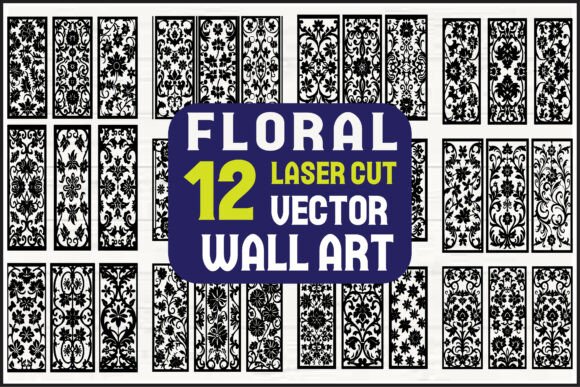
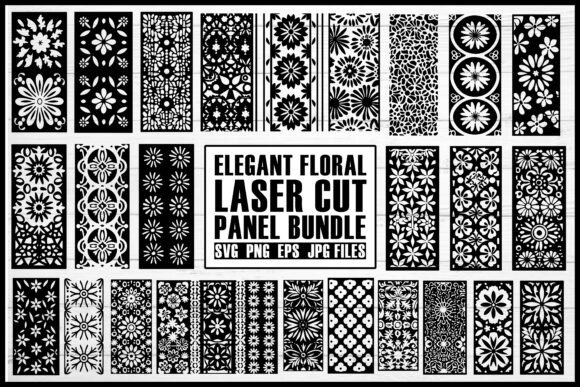
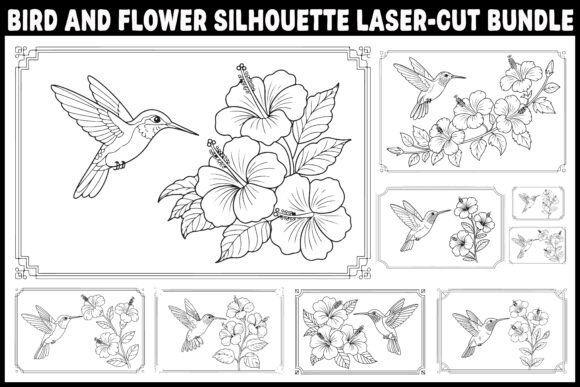
Creating stunning decorative pieces requires more than just a high-quality laser cutter or CNC machine; it demands precision-ready digital assets. The Intricate Floral Laser Cut SVG Bundle offers a curated collection of ornate floral silhouettes designed specifically for makers who value detail and structural integrity. Whether you are crafting wedding backdrops, intricate wall panels, or delicate greeting cards, having the right file format and design complexity is crucial. This guide explores how to maximize the potential of these files while avoiding common pitfalls that can ruin materials and waste time.
Understanding the Value of Multi-Format Bundles
One of the most frequent oversights among beginners is underestimating the importance of file versatility. This bundle includes 10 PNG files, 10 JPG files, 10 SVG files, and 10 EPS files. While many crafters focus solely on SVGs for cutting machines like Cricut or Silhouette Cameo, ignoring the other formats can limit your project’s scalability and application.
For instance, EPS files are vector-based, meaning they can be scaled infinitely without losing quality. This is essential for large-scale CNC projects or professional printing where pixelation is unacceptable. On the other hand, PNG and JPG files are raster images, ideal for sublimation printing, digital invitations, or previewing designs before committing to a cut. By utilizing all provided formats, you ensure that your workflow remains flexible across different software platforms and output methods.
Common Mistakes in File Selection and Preparation
Even with high-quality assets, errors in preparation can lead to failed cuts or fragile final products. Here are critical areas where creators often stumble and how to correct them.
Ignoring Material Thickness and Bridge Width
Intricate floral designs feature fine details and thin connections. A common mistake is attempting to cut these designs on materials that are too thick for the design’s bridge width. If the gaps between petals or leaves are narrower than the material’s thickness, the piece may break during removal or handling.
The Fix: Always check the "kerf" (the width of the cut) and the minimum bridge width of your design. For delicate flowers, use thinner materials like cardstock, acrylic sheets under 3mm, or thin plywood. If you must use thicker wood, consider simplifying the design or using a CNC router with a finer bit, though this may still pose challenges with extremely intricate patterns.
Overlooking Vector Node Cleanup
While the Intricate Floral Laser Cut SVG Bundle provides clean vectors, importing files into different software (such as LightBurn, RDWorks, or Design Space) can sometimes introduce unnecessary nodes or overlapping paths. These hidden errors can cause the laser head to stutter or burn specific spots excessively, leading to charred edges.
The Fix: Before sending any file to your machine, perform a "weld" or "union" operation in your design software to merge overlapping paths. Use the "simplify node" function to reduce excessive anchor points that do not contribute to the shape’s curvature. This ensures smoother motion and cleaner cuts.
Misjudging Cut Speed and Power Settings
Complex designs require more time to cut due to the numerous direction changes. Running the laser at high speed can result in incomplete cuts or shifted designs, especially on lighter machines like Glowforge or desktop diode lasers.
The Fix: Reduce your cutting speed by 10–15% compared to simpler shapes. Increase the number of passes if necessary, rather than cranking up the power, which can cause excessive charring. Test cut a small section of the floral pattern on a scrap piece of the same material to dial in your settings.
Maximizing Usability Across Different Projects
The versatility of this bundle allows for diverse applications, but each requires a tailored approach.
- Wall Art and Decorative Panels: When creating large wall hangings, consider segmenting the design if your machine bed is small. Use registration marks to align multiple cuts seamlessly. Ensure the backing board is sturdy enough to support the weight of the intricate cutouts.
- Wedding Invitations and Event Décor: For paper-based projects, the PNG and JPG files can be used for digital previews or printed backgrounds. When cutting cardstock, use a low-tack mat to prevent tearing delicate flower petals during weeding.
- Stencils and Templates: If using the designs for painting stencils, ensure all internal cutouts are connected to the main frame via "bridges." Otherwise, the center pieces of flowers will fall out, rendering the stencil useless.
What to Check Before You Begin
To ensure satisfaction and efficiency, verify the following before starting your project:
- Software Compatibility: Confirm that your design software supports the file format you intend to use. Most modern cutters accept SVG, but older CNC systems may prefer DXF or EPS.
- Design Scale: Open the file and scale it to your desired size. Check if the details remain visible and cuttable at that scale. Intricate designs may lose definition if shrunk too small.
- Material Suitability: Match the design complexity to your material. Hardwoods may splinter on fine details, while acrylics melt cleanly but require precise focus.
- File Integrity: Zoom in on the vector paths to ensure there are no open paths or stray lines that could cause unexpected cuts.
Enhancing Your Creative Workflow
Using the Intricate Floral Laser Cut SVG Bundle effectively is about balancing aesthetic ambition with technical reality. By respecting the limitations of your machinery and materials, you can produce professional-grade results consistently. Remember that preparation is half the battle; taking the time to clean up vectors, test settings, and choose the right file format will save you from costly mistakes and frustrated re-cuts.
Whether you are a hobbyist looking to add elegance to home décor or a small business owner creating custom wedding invites, these floral silhouettes offer a sophisticated foundation. Embrace the learning curve, experiment with different materials, and let the precision of well-prepared digital files elevate your craftsmanship.